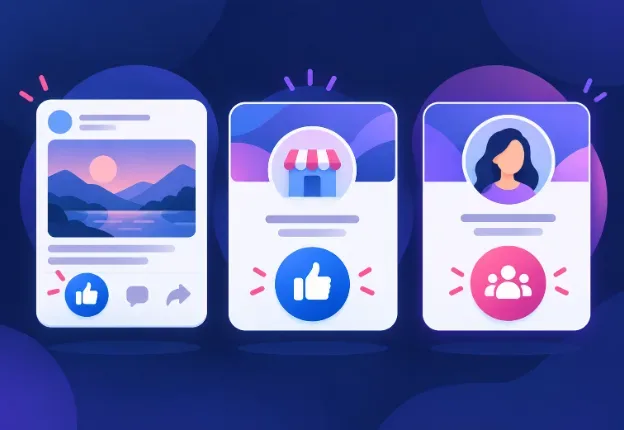
Facebook Post Likes, Page Likes and Followers: What’s the Difference?
Facebook post likes, Page likes and followers describe different actions. This guide explains what each metric means, how to identify the right destination link, and how to choose between content likes and Page or profile follower services.
Summarize This Article with AI
Facebook post likes apply to an individual piece of content. Page likes relate to a Facebook Page where that feature is available. Followers connect to a Page or profile to receive its public updates. These numbers describe different actions, so increasing one should not be treated as increasing all three.
If you are comparing services, start by identifying what you want to change: the likes on a particular photo, post, video or Reel, or the audience connected to a Page or profile.
Facebook Likes and Followers at a Glance
| Metric | Where it applies | What to check |
|---|---|---|
| Post, photo, video or Reel likes | One specific item of content | The direct link opens the exact item you mean |
| Page likes | A Facebook Page where Page likes are supported | The Page experience and the metric available on that Page |
| Page followers | The Page’s audience | The Page link and the follower-related service description |
| Profile followers | A profile that supports public following | The public profile link and its following settings |
What Are Facebook Post Likes?
A post like is a reaction to a particular item of content. A photo, video or Reel can have its own likes independently of the Page or profile that published it.
For example, if your business publishes a product photo, the likes beneath that photo belong to that content item. They are not the same measurement as the business Page’s followers.
On FollowerIG, the Facebook Likes service for posts, photos, videos and Reels uses the direct public content link supplied during ordering. It does not provide Page likes or followers.
Are Facebook Page Likes and Followers the Same?
No—not as a general description of Facebook’s metrics. Page likes and followers have historically been related, but they should not be assumed to be identical.
When Meta introduced the new Pages experience, it explained that the redesign would focus on followers rather than Page likes. This is why an older guide, a service label and the buttons visible on your Page may use different terminology.
Check what your own Page displays and which metric a package actually delivers. Do not assume that the words “likes” and “followers” mean the same thing simply because a provider groups them together.
Source: Meta’s explanation of the new Pages experience.
What Does Following a Page or Profile Mean?
Following connects someone to public updates from a Page or profile. It does not mean that every follower will see, like or comment on every post.
Follower count, post reactions and actual business outcomes should therefore be reviewed separately. More followers alone do not establish that more people visited your website, sent an enquiry or purchased a product.
For Page or profile enquiries on FollowerIG, review the Facebook Followers service. Read the package details and confirm the intended destination before ordering, particularly if your enquiry uses the older phrase “Page likes.”
Which Facebook Link Should You Use?
For likes on content
Open the exact public post, photo, video or Reel and copy its direct link. Check that the link opens that item, rather than only opening the Page or profile that published it.
For Page or profile followers
Use the public Page or profile link specified by the service. A link to one of its posts identifies a different destination.
If you are unsure
Contact support before payment. Describe the metric you want and provide the public link so the team can confirm whether the selected service is appropriate. You do not need to provide your Facebook password or login codes.
A Simple Checklist Before Ordering
- Name the goal: likes on a specific content item, or followers for a Page or profile.
- Check the destination: open the exact URL you intend to submit.
- Check visibility: make sure the destination is public and accessible.
- Read the package: confirm quantity, price, delivery information and any applicable refill terms.
- Keep your order reference: use it when asking support about delivery or an eligible refill.
A useful support message is: “I want likes on this public Reel, not followers for my Page. Is this the correct service for this link?” Clear wording helps avoid choosing the wrong destination.
Measure the Result That Matters to You
Record the relevant starting count and compare the same metric afterwards. For a content-likes order, inspect the selected content item. For a follower-related order, inspect the intended Page or profile.
Keep that measurement separate from reach, website traffic, enquiries and sales. A change in a visible count does not prove an improvement in those outcomes, and purchasing a service does not guarantee organic distribution.
You can browse the Facebook services directory to compare available services, or contact support if the terminology or destination is unclear.
Frequently Asked Questions
Will likes on a Facebook post increase my Page followers?
A post-like action and a follow action are different. Do not treat a likes order as a follower order or expect the two counts to increase together.
Why does my Page show followers instead of a Like button?
Facebook’s Page experience has changed over time. Meta introduced a redesigned experience focused on followers. Check the controls available on your Page rather than relying on an older screenshot or tutorial.
Can I use a Page link when ordering likes for a photo?
For FollowerIG’s content-likes service, provide the direct public photo link. The Page homepage does not identify which photo should receive the likes.
Does FollowerIG’s Facebook Likes service include Page likes?
No. That service covers likes on public posts, photos, videos and Reels. For Page-related enquiries, review the separate Facebook Followers service and confirm the package’s scope before ordering.
Are Facebook followers the same as customers?
No. Following a Page or profile does not establish that someone has purchased from the business. Track customers, enquiries and sales separately from social-platform counts.
Was this helpful?

Sami Khan
I am a content writer specializing in influencer marketing and digital brand growth. I decode creator economy trends, campaign strategies, and audience engagement to help brands build authentic partnerships that actually convert. My goal is to turn the noise of social media into actionable insights for modern marketers.
Related articles
Manson Gray’s 4,000 Watch-Hour Order: Her Delivery and Monetization Experience
Manson Gray ordered 4,000 watch hours on 25 September 2026. She reports reaching 4,300 total watch hours and receiving monetization approval on 2 October.
Do YouTube Shorts Help Long-Form Videos? What to Measure
YouTube Shorts can introduce people to your channel, but views and subscribers do not guarantee long-form viewing. Learn how to connect related videos and measure whether your audience follows through.
TikTok Views vs Engagement: What Counts and How to Measure Results
More TikTok views do not always mean more likes, followers or sales. Learn how to measure engagement, compare promotion options and assess campaign results alongside delivery and refill coverage.

